Booking System — Product Walkthrough · For D2GO Beach Resort
We make systems — Smart | Reliable | Integrated
01 · Agenda
What we'll walk through.
I
The booking problem
II
StaySuite overview
III
The guest booking journey
IV
The manage app
V
What's included
VI
Timeline to go-live
02 · The Problem We Hear Most
Long weekend. Fully booked.
Two families pull up the driveway — and the Messenger inbox still says the same cabin is free.
Sound familiar?
03 · Current Challenges
Same problem. Five headaches.
Manual booking
Messenger, phone, notebook.
Double-bookings
No-shows slip through.
Availability guesswork
No single source of truth.
After-hours silence
The inbox sleeps at night.
No visibility
Owners can't see patterns.
StaySuite is built to remove all five — starting with the booking, the heart of the operation.
04 · StaySuite Overview
One system. Two sides.
Guest side
Book online, 24/7
Guests search, pick a room, and pay a deposit — no login, no Messenger wait, no closing time.
Resort side
Manage every booking
Online, walk-in, and phone reservations in one dashboard — always in sync, one source of truth.
Real-time availability
Deposit capture
Booking calendar
Reports*
Automated emails*
Walk-in bookings
*Reports & automated emails demonstrated on demo data / integration contracted.
05 · The Guest Booking Journey
Six steps, about a minute.
1
DATES
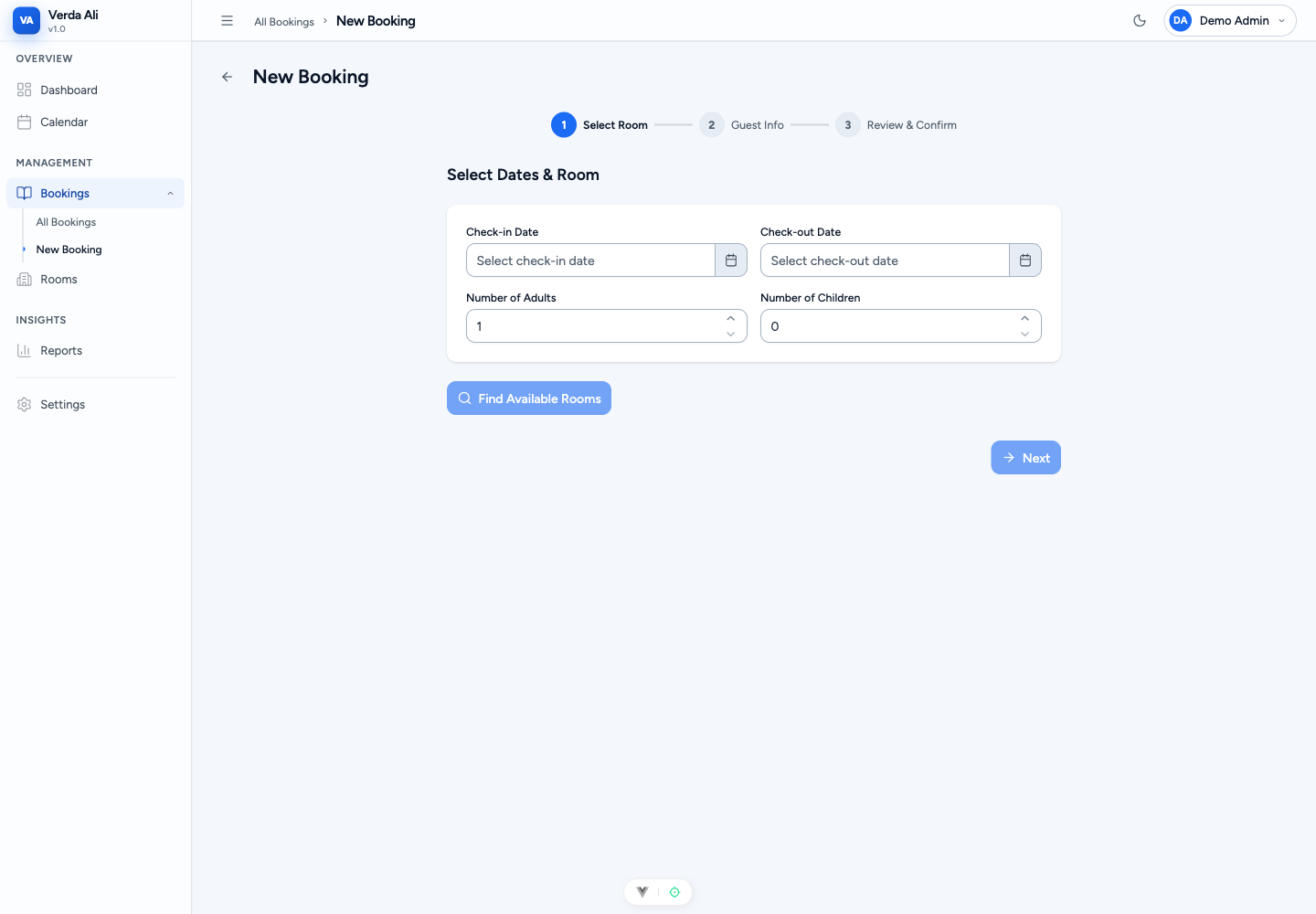
Dates & guests
Pick a stay; no account needed
2
ROOM
Choose room
Only what's actually available
3
DETAILS
Guest info
Name, contact, requests
4
REVIEW
Review & price
One honest, all-in number
5
PAY
Pay deposit
50% now, balance on arrival
6
DONE
Confirmed
Reference number issued
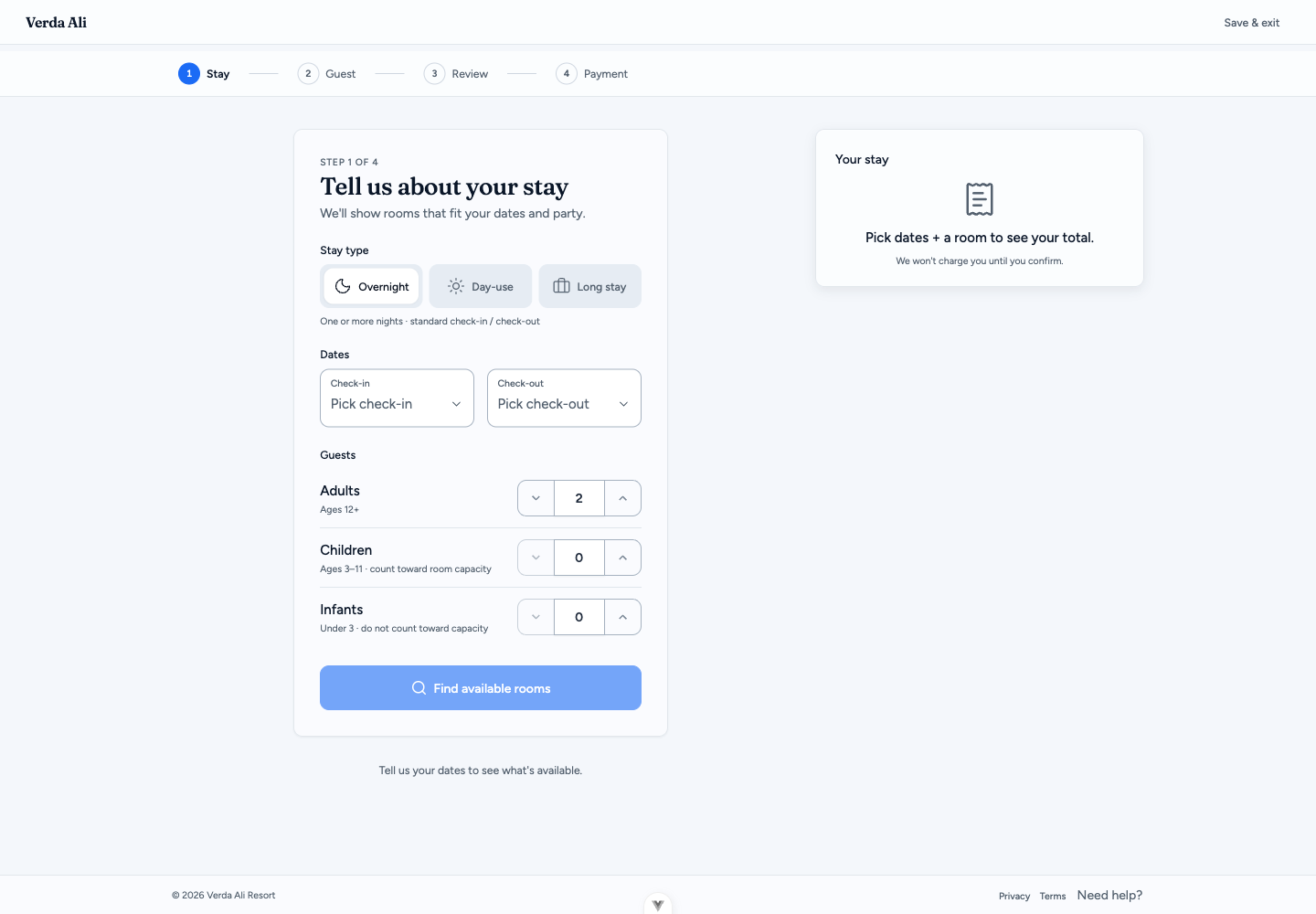
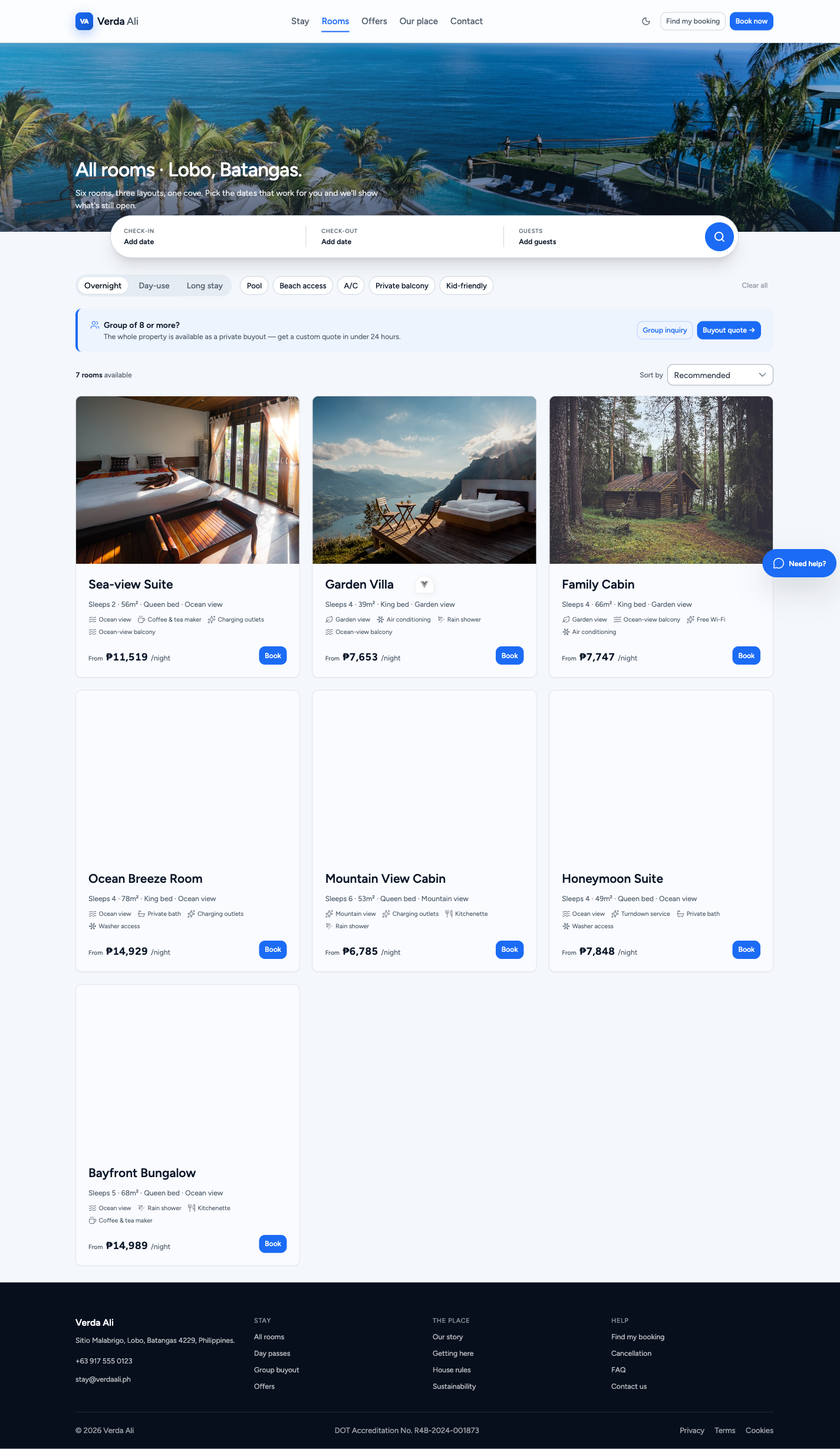
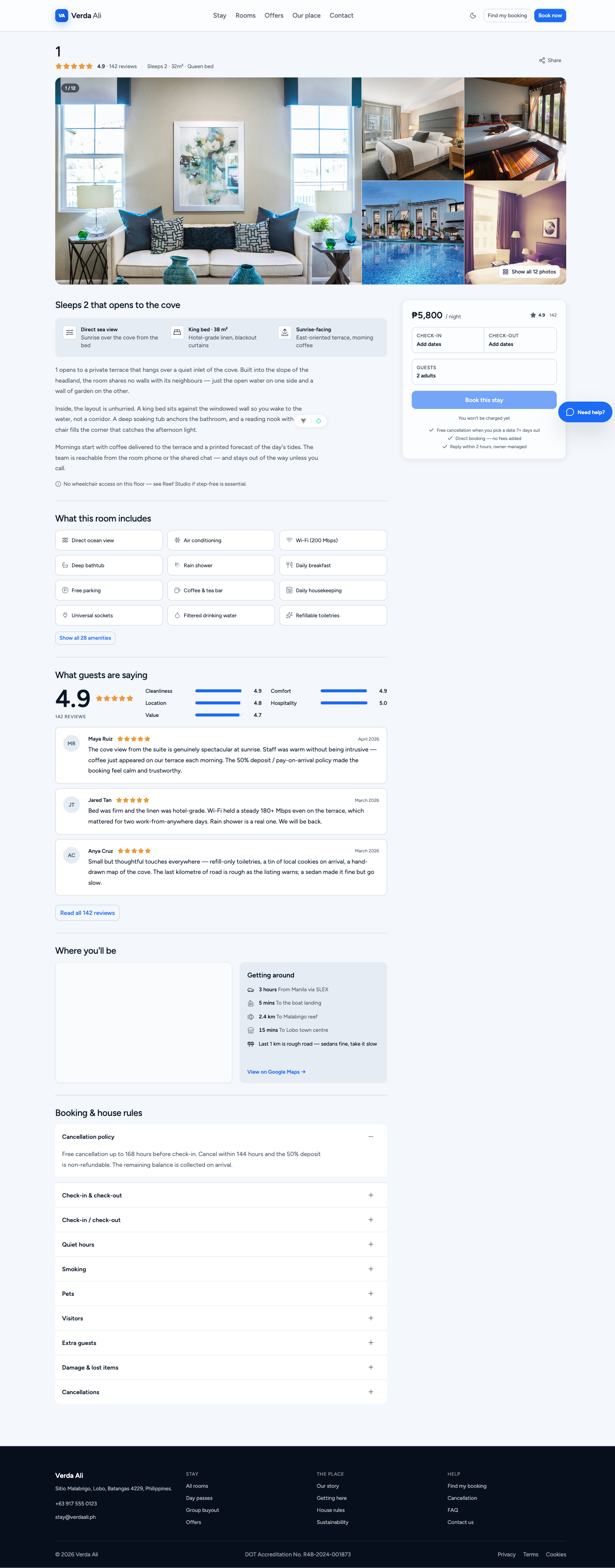
06 · Guest Journey · Find a Room
Pick dates. See real availability.
Dates & guests
Available rooms
Room detail
No account or login needed · live, date-specific pricing · house rules shown before booking. Real product screens.
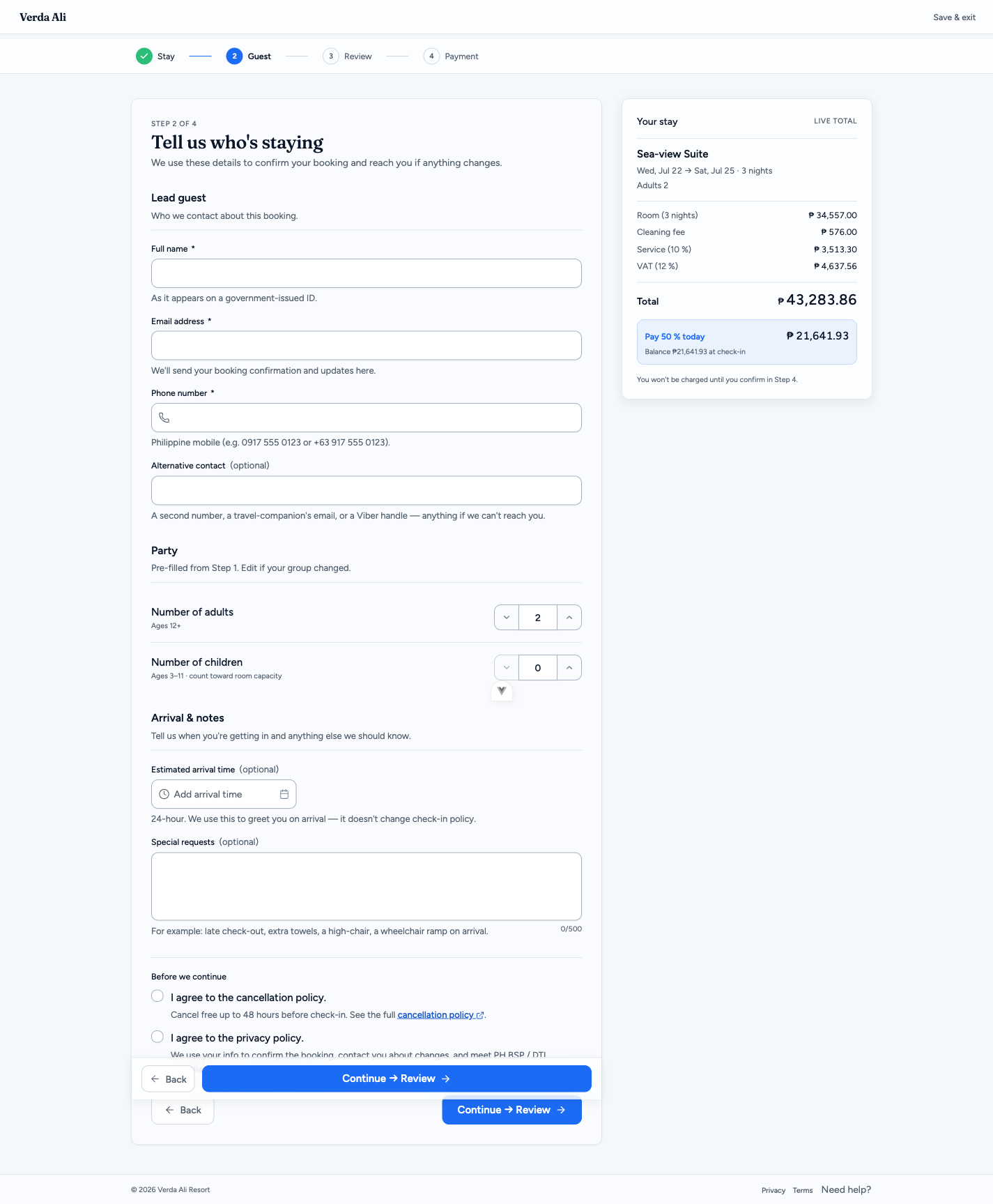
07 · Guest Journey · Review & Pay
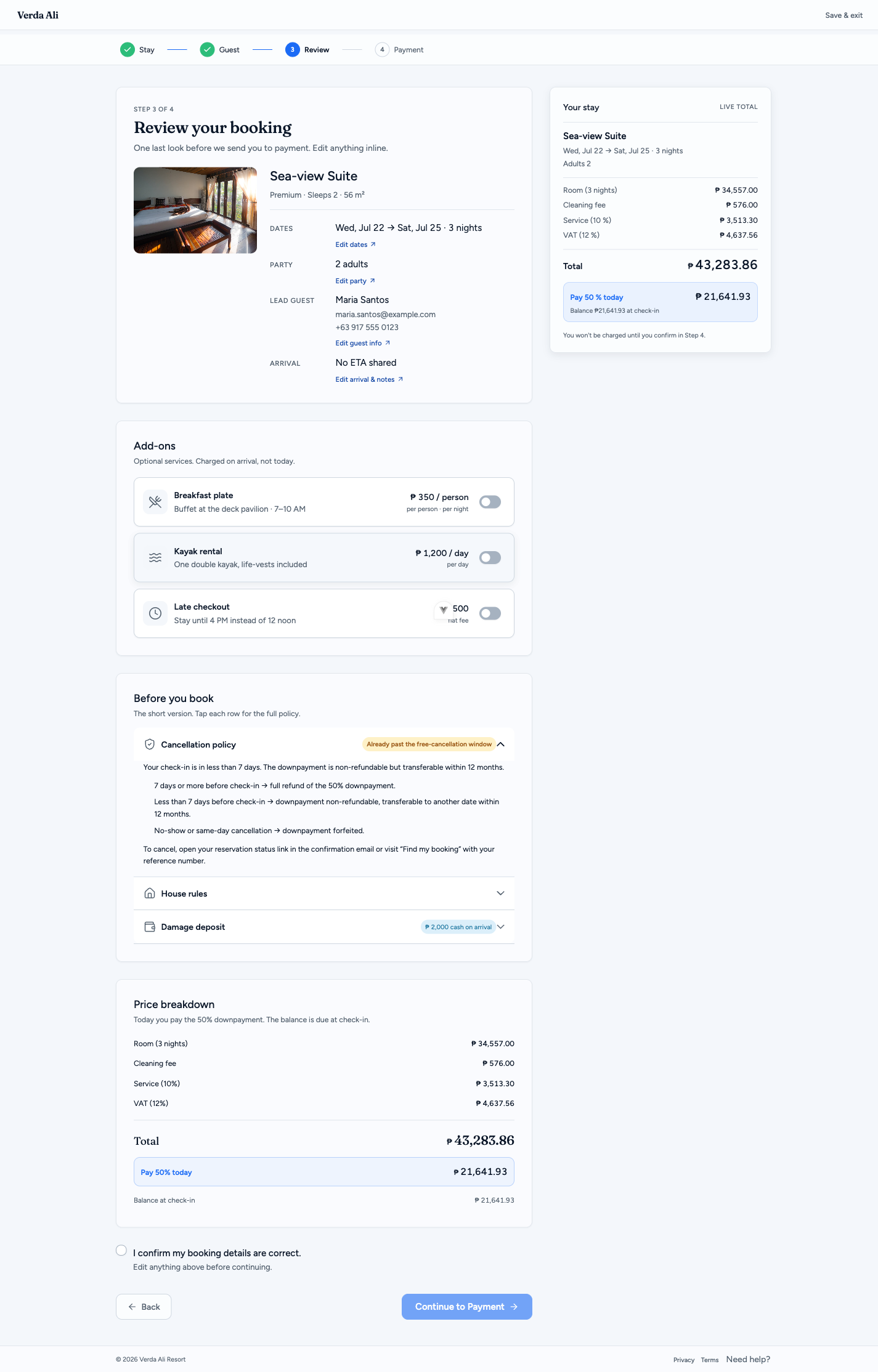
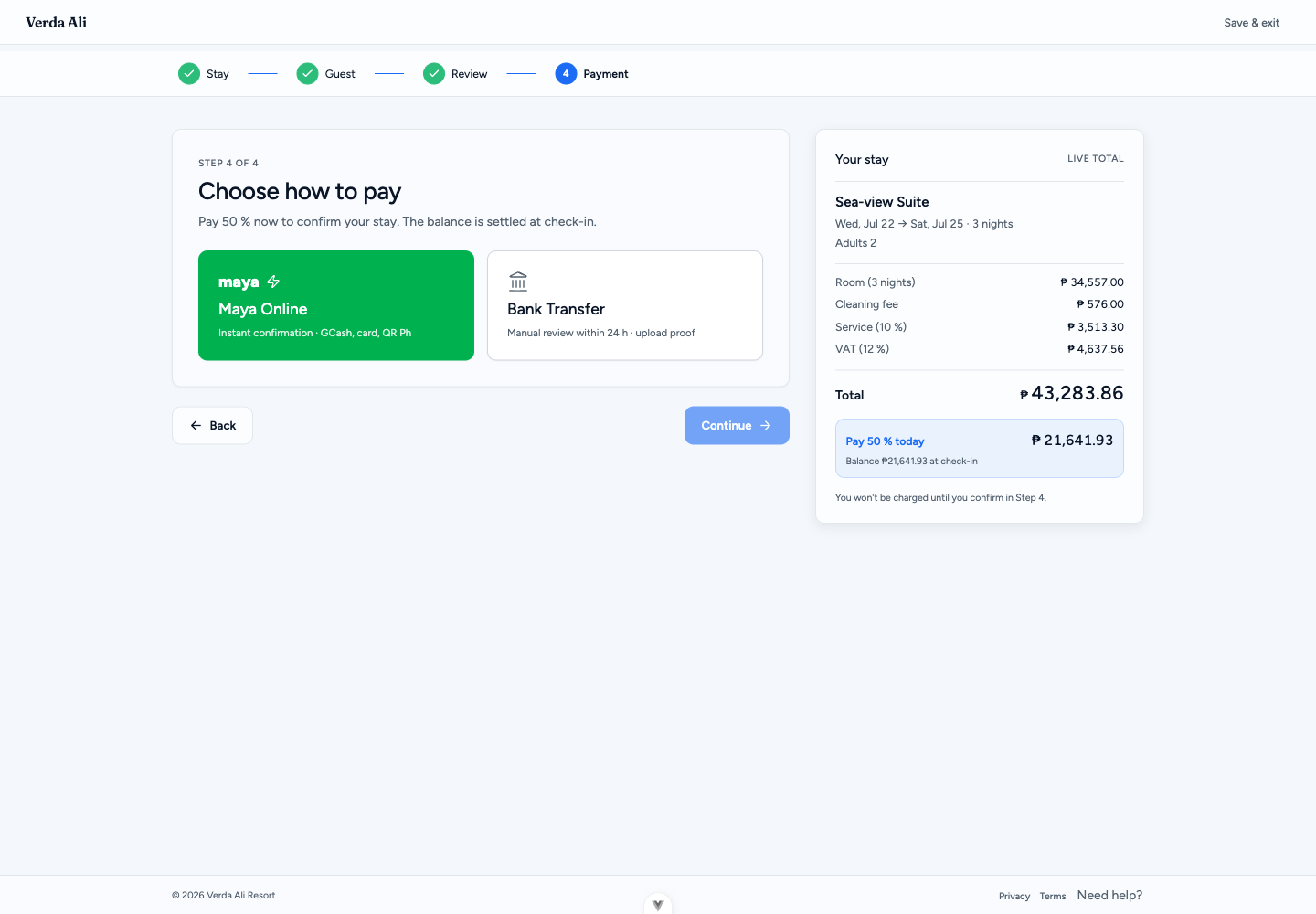
One honest price. A deposit to lock it.
Guest info
Review & price
Pay deposit
All-in price — VAT & service inclusive · pay 50% now, balance on arrival · Maya-ready (GCash / card / QR — integration contracted) or bank transfer with proof upload.
08 · Guest Journey · Confirmed
Booked. With a reference to track.
Booking received!
Sea-view Suite · 2 nights
#WMIT-2026-4471
Payment instructions sent to your inbox
We confirm once your deposit clears
Check-in reminder 24 hours before
A large, copyable booking reference number
A "what's next" timeline so guests aren't left wondering
Self-serve status check — no login required
Automated emails at each step (designed / contracted)
09 · The Manage App · Dashboard
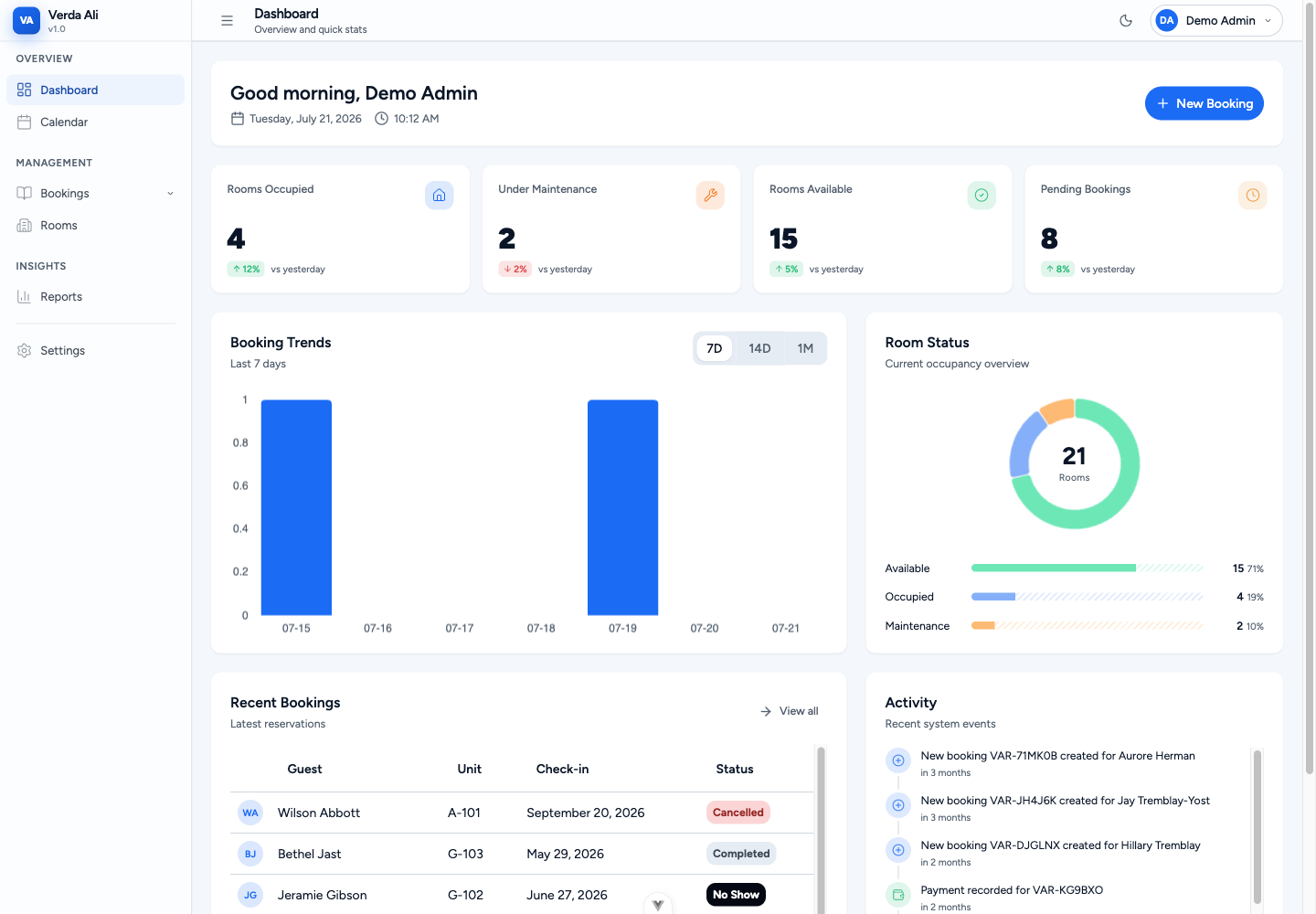
The whole resort, at a glance.
Occupancy, revenue, booking trends & activity feed — shown on demo data; backend build in progress.
10 · The Manage App · Bookings
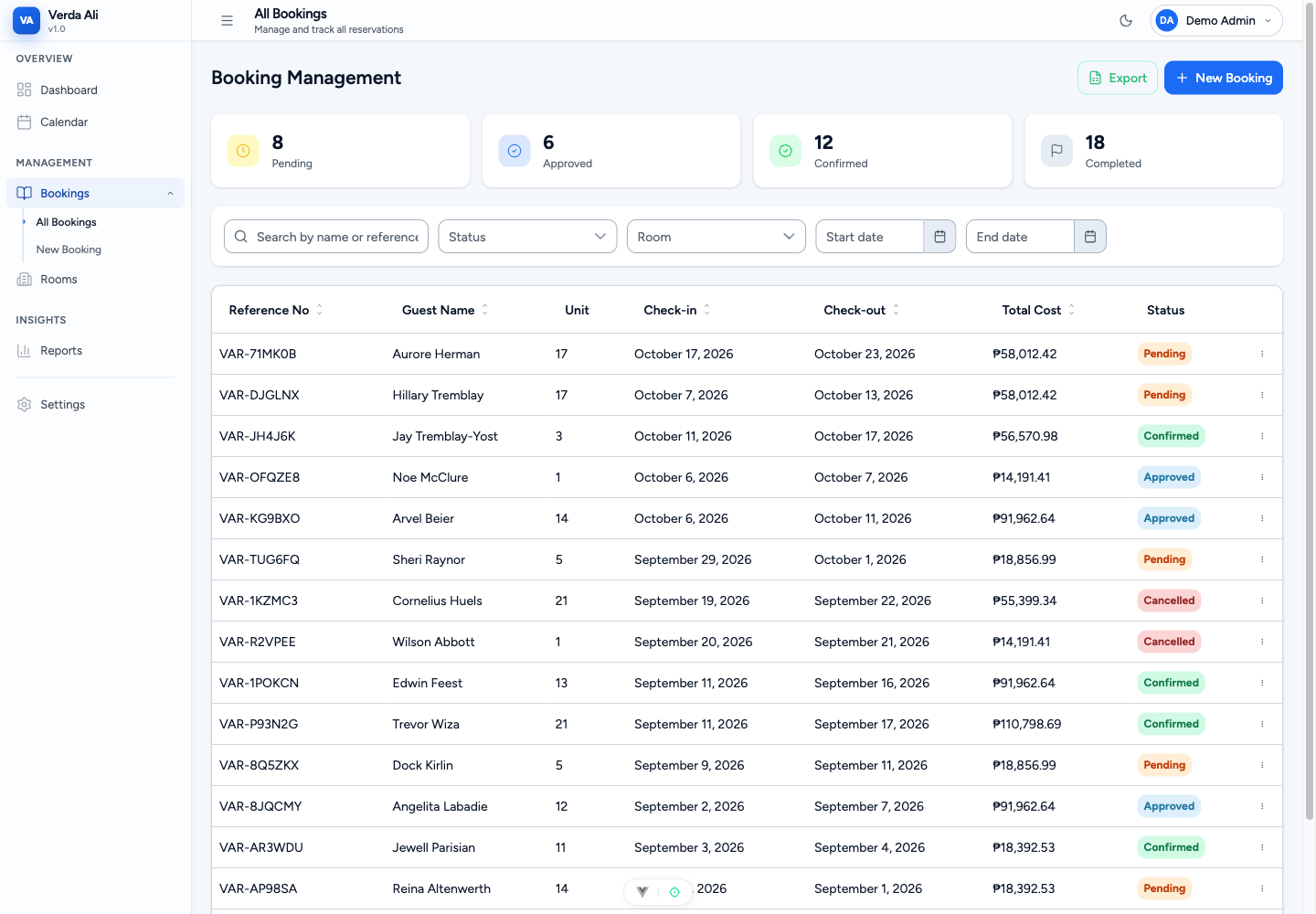
Every reservation, one table.
Booking management
Walk-in / phone booking
Search, filter, sort — export to Excel · status workflow: approve → check-in → check-out → no-show, with an audit trail · walk-in & phone bookings entered in the same system.
11 · The Manage App · Setup
Your rooms, rates & rules — self-served.
Room catalog
Add a room without a developer
Photos, amenities, capacity, and a live guest preview as you edit.
Pricing
Weekend & seasonal rates
Set multipliers, extra-guest fees and deposit % — all editable, no code.
Settings
Policy & branding
Check-in/out times, house rules, payment details, and your logo & colors.
12 · What's Included
Everything, end to end.
01 · Build
Guest site + manage app
Booking website under D2GO's brand
Manage app for your front desk
Tailored to how D2GO operates
02 · Setup & training
Ready to run
Configuration & your rooms/rates loaded
Staff onboarding & walkthrough
Go-live support
03 · Support
Support & maintenance
Ongoing maintenance
Technical assistance
The 9 PM call when something needs a person
13 · Timeline to Go-Live
A clear path to go-live.
1
~1 WK
Requirements
Your rooms, rates & rules
2
1–2 WKS
Design & prototype
Your brand, your booking flow
3
BUILD
Build
Guest site + manage app configured
4
~1 WK
Testing & UAT
You try it on real scenarios
5
DAYS
Deploy & go-live
Live under your domain
6
~1 WK
Training & turnover
Staff onboarding & handover
Illustrative for a single-property build — durations finalized after scope alignment.
14 · Live Demo
Live Demo.
Let's open the real booking system and click through it — the guest booking journey, then the manage app.
WeMake StaySuite · live on demo data
15 · Questions
Questions?
We'll keep it open as long as you need — then let's book your free assessment.